What fields should a bid request form ask for?
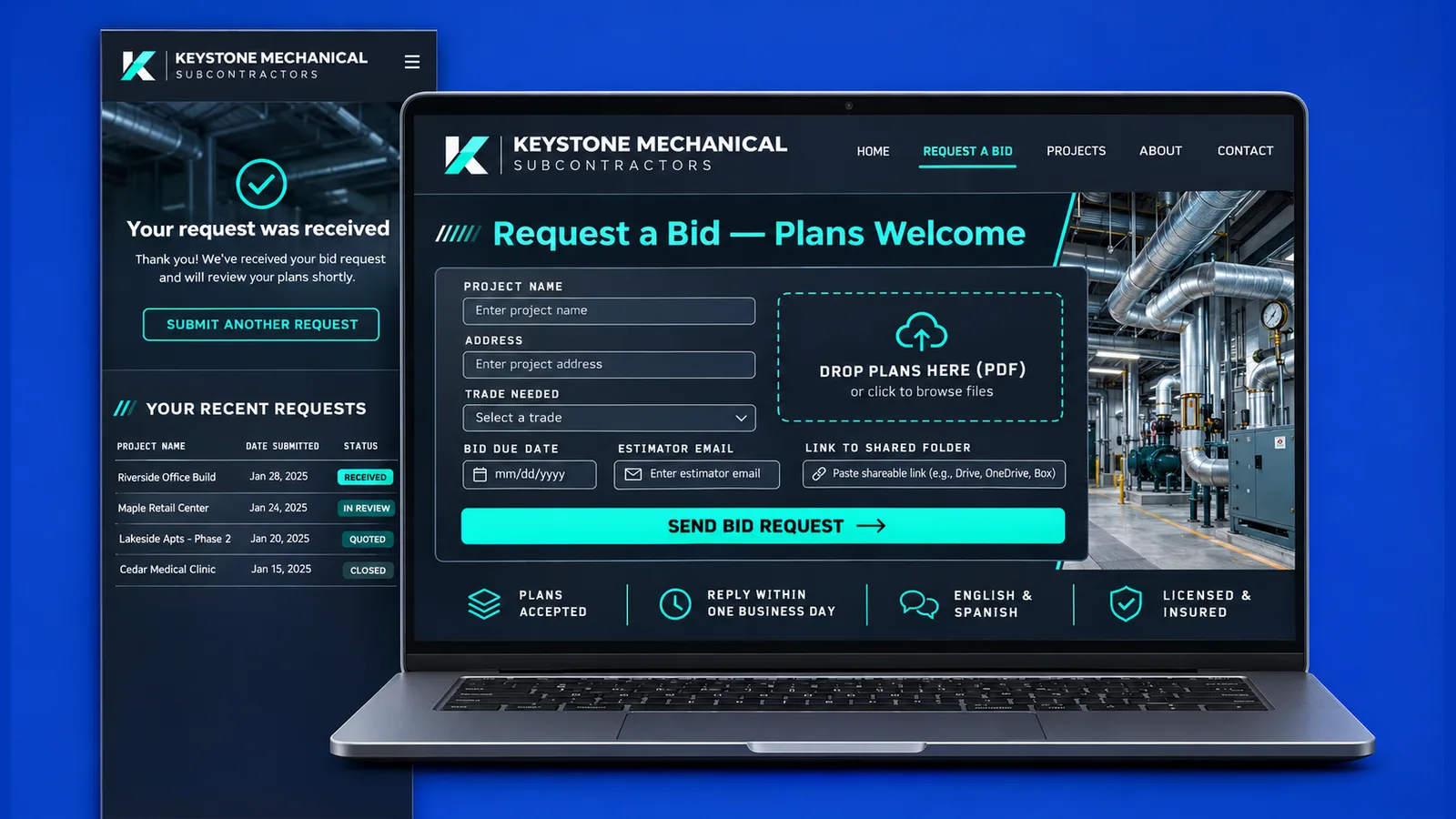
A bid request form should ask for the project name, the site address, the trade you are being asked to price, the date the bid is due, the sender's contact details, the plan files and a notes box. With those, an estimator can tell quickly whether the job fits and who to call back.
Here is what each field does for the person reading the submission:
- Project name and address. They tell the estimator which job it is and which county it sits in, and they keep two similar jobs from getting mixed up in the inbox.
- Trade or scope. A short list of the trades your company performs works better than an open box, because the request arrives already sorted. Add an "other" choice for the request you did not expect.
- Bid due date. Use a date picker and make it required. It decides what gets opened first.
- Name, company, phone and email of the sender. This is the person your estimator will answer. A role field helps too, since a project manager and an owner's representative may need different replies.
- Plan files. A file upload, with the alternatives covered further down.
- Notes. Addenda, a pre-bid walk-through, alternates or a request for unit pricing all fit here.
Keep the required fields to that list. Every extra question lowers the chance that a busy project manager finishes the form, and a long questionnaire reads as paperwork for your office rather than a favor to the general contractor (GC).
For what else an office looks for in a trade company, see what general contractors check before inviting a subcontractor to bid. The subcontractor website page shows how the form sits beside trade pages, license details and finished jobs.
How does a request reach the estimator and get recorded?
When someone submits the form, the estimator can get an email or a text on their cell phone within moments, the sender can receive a copy of what they sent, and the request can be saved in a list or panel the whole office can see. Notice, confirmation and record are three separate pieces.
The notice. Point it at a shared address rather than one person's inbox, so a request does not sit unseen while someone is on a job site or on vacation. If you have more than one estimator, the trade or county chosen in the form can decide who gets it.
The copy to the sender. A short automatic reply that repeats the project name and due date tells the GC the request arrived, and it gives them something to forward inside their own office.
The record. Every submission should also be written to a list with its fields, the files or link, the time it arrived and a status such as new, reviewing, bid sent or passed. Email alone is a poor record, because it lives in someone's mailbox.
A nudge when a due date is close, or a follow-up on a bid that got no answer, is the kind of step workflow automation handles without anyone having to remember.
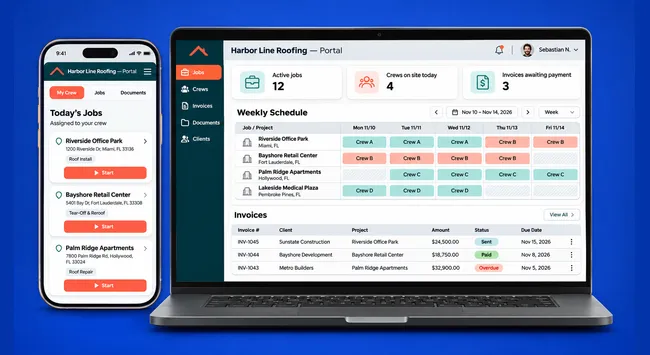
When the list outgrows a simple sheet and each estimator should only see their own bids, it turns into a small custom web application with logins. Building GQM Connect, a panel for a Florida contractor that does general and roofing work, showed us how much an office leans on one list where each item has an owner and a status. Its screens use sample data.
Unsure how your requests should be routed? Book a free 30-minute call and we will map it around your trades and estimators.
What happens with large plan sets?
Plan sets can be too heavy for a form or an email, so the form should accept PDF files and also offer a field for a link to a shared folder. Put a short line next to the upload explaining which to use, so a rejected file does not turn into a lost bid.
PDF is the safe format to accept, because it opens on any computer or phone without special software. If an upload fails, show a clear message such as "this file did not go through, paste a folder link below" instead of letting the page spin.
The link field is the second door. GCs usually keep drawings in a shared folder already, so letting them paste its address costs them a few seconds. Ask them to check that the folder is open to anyone with the link, or to your estimator's email, and to add a note if a password is needed. The notice email should carry that link as a clickable address.
Make the requirement either-or: require a file or a link, and never require both. A form that insists on an upload blocks a GC whose plans live in their own system, and the notes box still lets them say how the documents will follow.
How does a bid request form connect to PlanHub or BuildingConnected?
The connection is a pair of links. Your profile on those platforms can point to your website, and your website can point back to your profile, so an estimator who finds you in one place can reach the other. The form on your site then catches requests that arrive outside any platform.
Put your website address in each profile, and keep the company name, trade, phone number and service area identical in both places. When an estimator searches your name after seeing your profile, the site they land on should read as the same company.
On the website, add a line near the form or in the footer that links to each profile you maintain. It gives a GC who prefers the platform a direct route there.
If you are weighing the platform against a site of your own, we answer that separately: do subcontractors need a website if they are already on PlanHub or BuildingConnected?
What about Spanish, and sending from a phone?
The sender can fill out the form in either English or Spanish, and it should work on a small screen, since requests often get sent from a truck or a job site. The fields, the notice and the record stay the same whichever language the sender picks.
Put a visible language switch at the top of the form and keep the same fields in both versions, so every submission lands in one record. Let the notice show which language the sender used. That way your estimator knows how to reply.
On a phone, the details decide whether the form gets finished: large tap targets, a number keypad for the phone field, the built-in date picker, and an upload button that reaches the camera roll, the files app and cloud folders. The link field matters even more here, because pasting a folder address is far easier on a phone than attaching a heavy file.
Send a test from your own cell phone, in both languages, before you share the page. If you stumble, a project manager in a hurry probably will too. We build these pages for subcontractors in Broward, as on our Fort Lauderdale page, and in Miami-Dade, as on our Cutler Bay page.
Bid request form FAQ
Is a regular contact form enough for bid requests?
It can work as a first message, but it usually lacks a due date, a trade and a place for plans, so the estimator has to write back to ask. A dedicated form collects the job details at once and sorts the request before anyone opens it.
Can requests arrive by WhatsApp or email only?
Yes, notices can go to email, to a text message or to WhatsApp. A chat button beside the form is handy for quick questions. The form is still the piece that records the details, since chat messages scroll away.
Who sees the requests when the estimator is away?
Whoever you decide beforehand. Send notices to a shared address or add a second recipient, and keep the record in a list so a colleague can pick up where the estimator left off.
Whoever builds the form, ask for the three pieces by name: the notice to a shared address, the copy to the sender and the record with a status, plus a link field beside the upload. To get this form on your own site, book a free 30-minute call and bring your trades, your counties and the names of whoever answers requests.