A general contractor (GC) who is thinking about inviting you to bid often types your company name into Google Maps before anything else. What shows up there is your Google Business Profile, and it either matches your website or it does not. This guide covers the profile from that visitor's side: what to set up, what Google's own help pages ask for, and what has to agree with the site. For the wider picture of what a trade company's site needs, start with website design for subcontractors.
What category and service area should a Google Business Profile for contractors use?
Google's category guidance tells businesses to choose categories that are as specific as possible but still representative of the main business, to use as few as it takes to describe the core business, and not to use categories only as keywords. For a subcontractor, that means the trade you perform, not a list of everything you install.
Pick what the business is, not what it has: a roofing company picks the roofing category, not one for every material it has installed.
The service area comes next. Google's help page on service-area businesses describes them as businesses that visit or deliver to customers directly but do not serve customers at their business address, and tells such a business to remove its address from the profile. The areas are entered as cities, postal codes or other areas you serve, and the page asks you to be as specific and accurate as possible. It does not allow a radius around the business, and it sets limits on how many areas you list and how far they stretch, so read the page itself before you build the list.
For a sub in South Florida, counties are usually how a GC thinks about coverage, but the profile asks for cities, postal codes or similar areas. List the places where your crews actually work, and say the county names in the profile description and on the site. A Broward shop that also works in Miami-Dade and Palm Beach should say so in all three places.
What photos and services should you list?
List the services under the same names your website uses, and add photos of finished work sorted by the type of job. A GC scanning the profile usually wants to see that you have done work like the project in front of them, so completed jobs, the crew at work and the equipment you run say more than a logo.
If your site has one page per scope, the profile's service list should read like the menu of those pages, with the same wording. Add a new service to both the same week.
How do you ask for reviews without offering anything in return?
Google's contribution policy does not allow incentives such as payment, discounts or free goods or services in exchange for reviews, and it does not allow reviews that were posted because of an incentive. It also bars selectively soliciting positive reviews, while allowing businesses to encourage content that reflects a genuine experience.
In practice, that gives you a simple rule: ask every client, not only the happy ones, and give nothing for the answer. A subcontractor's clients are often GCs, property managers and owners, so decide who asks and when. A good moment is the close-out of the job, once the punch list is done and the final invoice has gone out. Send the profile's review link by text or email with a plain sentence thanking them for the work, and leave it there.
Do not write the review for anyone, suggest what it should say or offer a discount on the next bid in return, and keep the request out of the final walk-through.
Then answer every review, the good and the poor. A short reply that names the job type is enough; for a critical one, stay calm and factual. A GC can read how you handle a complaint as closely as the rating.
If you want help turning this into a routine, a free 30-minute call is enough to map out who sends the request, when, and where the link lives.
How does a general contractor see you in Maps when they search for you?
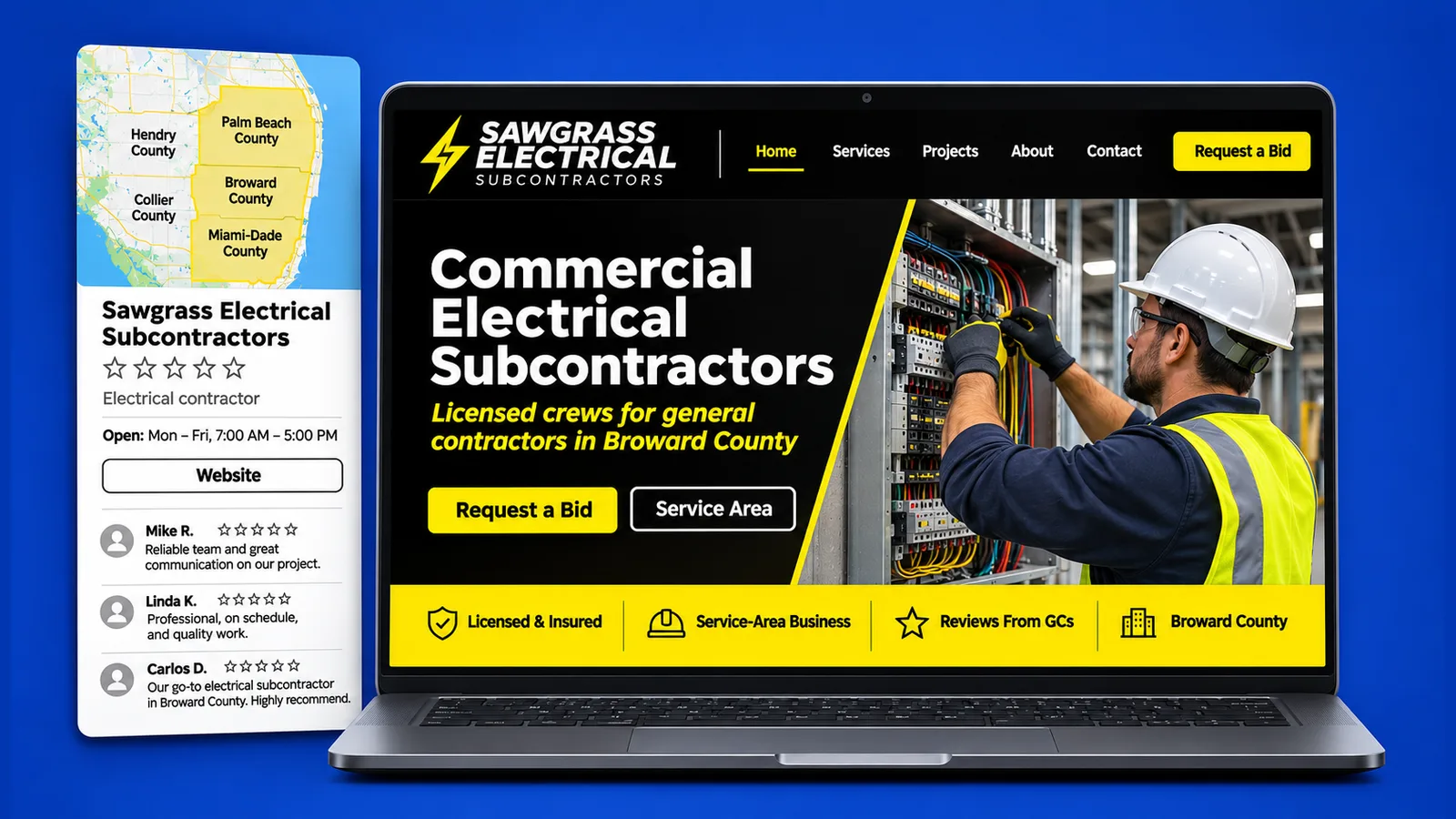
A GC who searches your name in Maps usually sees a short card: name, trade, area, photos, reviews and a link to your website. Each item either reassures or raises a question. If the card and the site agree, the estimator can move on to the bid invitation.
Think of the card as the first page of your prequalification. The name should match your license and insurance, the category your trade, the photos that trade, and the link should open a page with the license, the insurance and a way to send plans. The checklist a GC runs before inviting a bid is in our guide to GC prequalification.
A GC may also search a trade in a city, not a name. Then the profile competes with others in the results and nobody can promise where it appears; you control how complete and accurate it is and whether the site backs it up. City pages such as Miami web design and Pembroke Pines show how a site tells the same local story. The profile is one of several places a GC can find you; the others are in how subcontractors get more bid invitations online.
What has to match between your profile and your website?
Six things should read the same in both places: name, phone, counties and cities, trade and scopes, the profile link to the site and the site link back to the profile. When one differs, a GC has to decide which is right.
- Name. Use the legal or licensed name consistently, not a shortened version on one side and a full one on the other.
- Phone. The number someone answers, the same everywhere.
- Counties and cities. The service area on the profile and the coverage list on the site should name the same places.
- Trade and scopes. The profile's category and services should match your site's trade pages.
- Profile to site. Add your website address to the profile and send it to the page that explains your work, not to a page that has nothing to do with bidding.
- Site to profile. Link to the profile from the footer or the contact page, so a visitor can read your reviews.
The license does not live in the profile. It belongs on the website, where the estimator can read it and open the state lookup, and we explain how to place it in placing license and insurance details on a Florida contractor site. The profile points to the site; the site carries the proof.
Update both on the same day whenever a phone number, county or scope changes. Citations and city pages are the local SEO side, covered by our local SEO services; this guide stays with the profile.
If you want someone to read the profile and the site together, book a free 30-minute call.
Common questions about a Google Business Profile for subcontractors
Is a profile worth having if I only work for general contractors?
It can be. Google's service-area page covers businesses that go to the customer instead of receiving them at an address, and a GC is a customer. A profile gives an estimator who searches your name a card that confirms your trade, your area and your site. Whether it brings you work depends on many things the profile does not control.
Should I have one profile per county or just one?
Google's service-area page says a service-area business can have only one profile for the whole area it serves. Rather than create a profile for each county, list the places you serve in that one, and say the counties on your website.
What happens to my profile if I move my office?
The help page says that if you do not serve customers at your business address, you should remove the address from the profile, and that service-area edits can take time to appear. Update the address or remove it as it applies, then change the website's contact page and footer the same day. For anything else about moves, follow the same help page.