Before an estimator calls a subcontractor, the photos usually get a look first. A gallery that shows finished work, sorted so a reader finds the right job in seconds, can keep your name on the bid list, while a loose pile of snapshots does the opposite. This guide covers what to photograph, how to caption and sort it, when to ask for permission and where the photos should live besides your gallery.
What kind of photo convinces a general contractor?
A finished, clean job where the scope is easy to recognize. A general contractor (GC) or estimator wants to see the work you actually perform, in the condition it was handed over, not a crew in the middle of a mess or a close-up that could be any job.
Think of each photo as a small answer to a question the reader already has: have you done this before, and does it look right?
- Show the scope. If you install roofing, the roof should be the subject. If you hang drywall, show the finished walls and ceilings, not the truck.
- Keep it clean. Wait until debris is gone, the light is decent and the work is complete. An honest, well-lit picture beats many dark ones.
- Add a “before” when it helps. A repair, a remodel or a replacement tells a better story with the starting condition next to the result. For new construction it usually adds nothing.
- Leave people out. Unless someone has agreed to appear, frame the shot without identifiable faces.
Photos work alongside the facts a GC checks, which we list in the checklist a GC runs before inviting a sub to bid.
How do you organize a construction project photos website gallery?
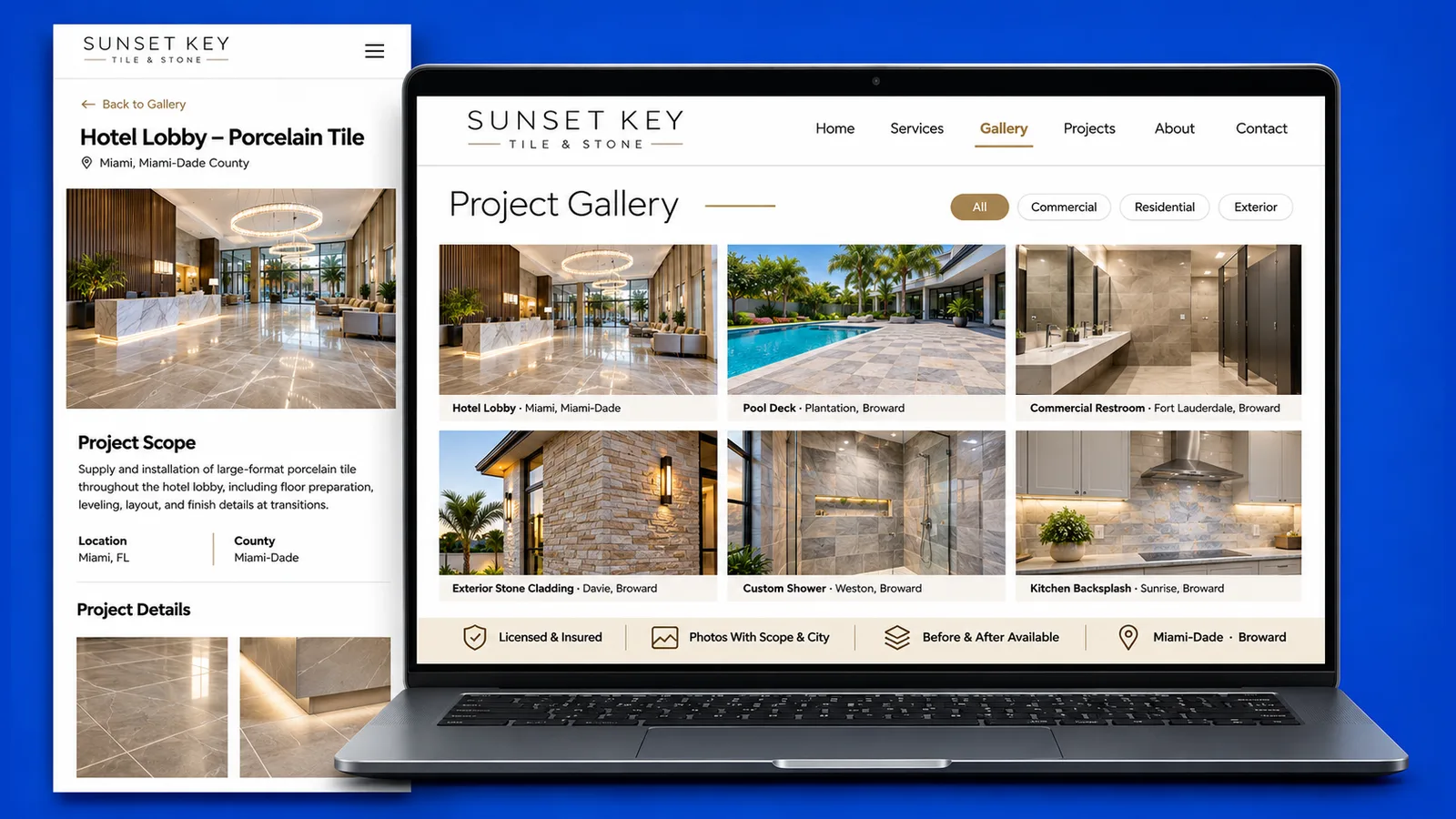
Sort it by type of work, not by date. Give every project a caption with the scope, the city and the county, and name the GC or the owner only when they have agreed to it. A reader should be able to open one category and see only the jobs that match what they need.
A GC rarely asks “what did you finish last month?” The question is closer to “have you done parking structures” or “have you done tenant improvements.” Date order hides the answer; type order puts it on the screen.
- Categories that match how you are asked: commercial, residential, new construction, remodel, repair, or the scopes inside your own trade.
- One caption pattern, repeated: what you did, where (city and county) and, if allowed, who for.
Two sites we built show galleries sorted by type. On the project gallery of Pergola Plus Florida, each job is tagged by type and links to its own page. On Mr & Mrs Outdoor Living, the gallery filters completed work, is organized by category and carries a location tag on each project. Both are built for homeowners, but the structure carries over to a subcontractor who is answering a GC.
Say the place plainly. A sub based near Kendall in Miami-Dade County and a sub who works around Wellington in Palm Beach County should each name those places in their captions.
If you are not sure where the gallery fits on the site, start from website design for subcontractors, which shows the other pages a GC expects around it. To get a gallery planned and built, book a free 30-minute call.
Do you need the GC’s or the owner’s permission to publish a project?
We recommend asking, and asking in writing, before you publish photos of someone else’s project. That matters most on commercial work and on private property. We do not give legal advice and we cannot tell you who holds the rights to a given job, so the safe habit is a short, clear yes from the people involved.
A short email is enough, and it gives you something to point back to later.
- Say what you want to publish: which photos, on your website, and whether you also plan to use them on a capability sheet or a profile.
- Say what you will leave out: the owner’s name, the street address or anything the GC prefers to keep private.
- Ask whether the GC’s name may appear, and how they would like it written.
Some GCs have their own rules on photos and signage, and a contract can address it. If the answer is no, you still have options: publish the work without the GC’s name, show only a detail that does not identify the property, or leave that job off the site. For anything with legal weight, talk to an attorney.
What format and file size should project photos have?
Use a modern format such as AVIF or WebP, declare the width and height of every image in the HTML, and prepare a smaller version for the gallery card and a larger one for the project page. The aim is a page that loads fast and does not jump around while it loads.
The right numbers depend on your layout, so here is the approach.
- AVIF or WebP in place of large JPEG files straight off the camera or a phone.
- Declared dimensions so the browser reserves the space and the text does not shift when the image arrives.
- A card version and a project-page version of each photo, so a category with many jobs does not download every large file.
- Lazy loading for the photos lower down, but never for the first image a visitor sees.
Estimators often open your site on a phone between meetings, and a slow gallery loses them before the first photo appears.
Where else should the photos go besides the gallery?
Use the same finished-work photos on the project page, in your capability statement, on your Google Business Profile and next to the bid request form. Each place answers a different moment in the same decision, and one organized set of photos lets you reuse them without starting over.
- Project page: the full story of a job, with the caption pattern from your gallery.
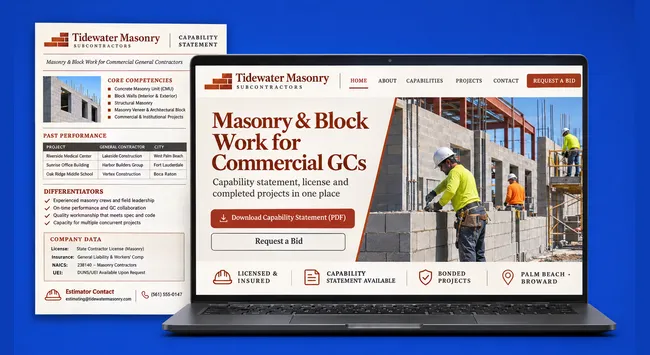
- Capability statement: a few representative projects, as in our guide to the subcontractor capability statement.
- Google Business Profile: finished work shows up for people who find you on a map, and we cover it in Google Business Profile for subcontractors.
- Bid request form: a few recent, relevant jobs near the form remind the estimator why they are sending plans to you.
Keep captions and permissions consistent in all of them.
One person should own the photo folder: what was approved, what was refused and where each image is used. When a GC asks you to take a photo down, you can then remove it everywhere in one pass.
If you want your finished work organized and published this way, book a free 30-minute call with SENAVIA.
Frequently asked questions
Should I show a job that is still under construction?
Usually not as a gallery item. A finished job answers the question an estimator has, and an unfinished one raises new ones. A progress shot can still belong in a project page when it explains a phase, with the final result shown first.
Can I use photos that the GC or the owner took?
Ask first, in writing. Permission to show the project and permission to use a picture someone else took are two separate requests, so make both. A GC’s own images can be a good source, as long as they agree to the use and to how they are credited.
Do I need a photographer, or is a phone enough?
A recent phone can do the job if the light is good, the lens is clean and the shot is level. A photographer helps most for the lead images and for projects you want to feature. Either way, consistent framing and a clean finish matter more than the camera.